Two views.
Complete financial clarity
on your Power Platform.
Power FinOps shows you where your budget goes — and exactly how to reduce it — without leaving your Microsoft tenant.
Cost Intelligence
Every cost line.
One screen.
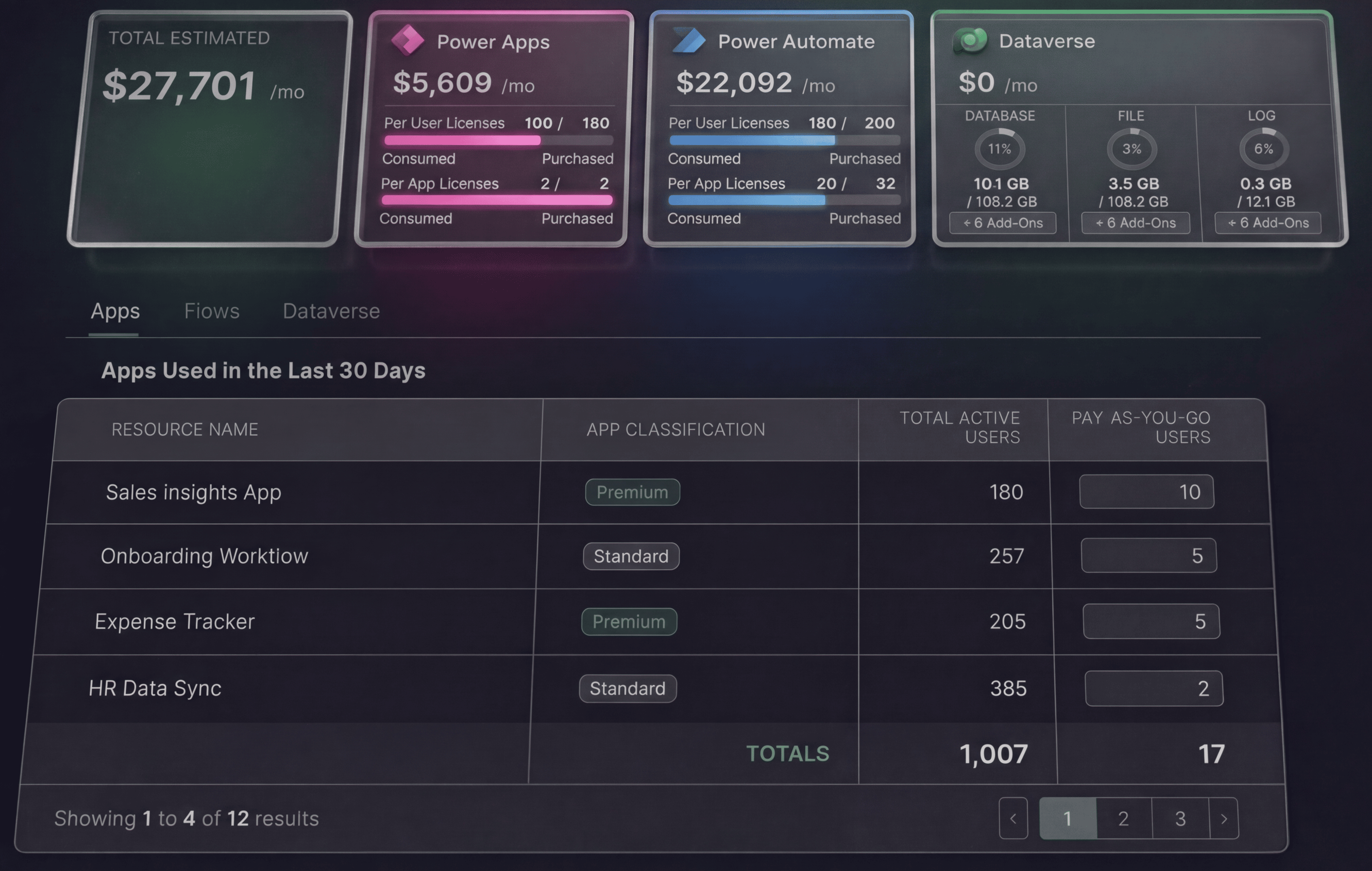
Cost Intelligence gives you a complete breakdown of your Power Platform spend — aggregated by environment, segmented by license type, and ready to act on.
Power Apps licenses
Power apps license allocation
Power Automate licenses
Power Automate licenses allocation
Dataverse storage
Current usage, capacity headroom, and purchased add-ons.
PAYG consumption
Pay-as-you-go spend by app, flow, and environment.
Stop estimating. Know what you're actually spending — and what you'd save by changing it.
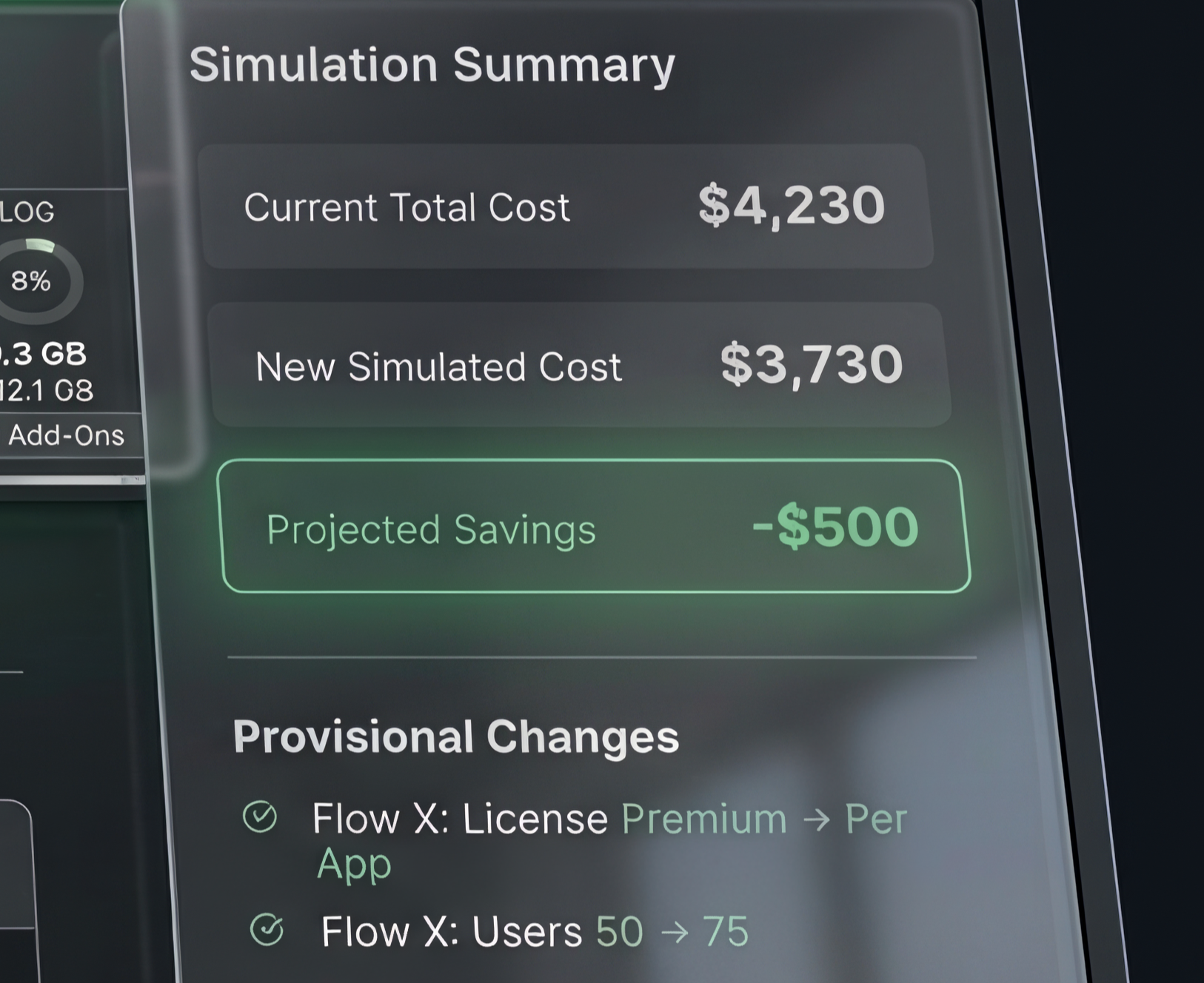
Change any variable.
See the cost impact immediately.
Adjust license counts, change app and flows classification (standard, premium), or change PAYG volumes — the projected cost updates in real time. No spreadsheet, no manual calculation.
“What would we save if we moved 200 users to per-user licensing?”
→ Answer in seconds, before touching a single production setting.
Recommendations Engine
The analysis is
already done.
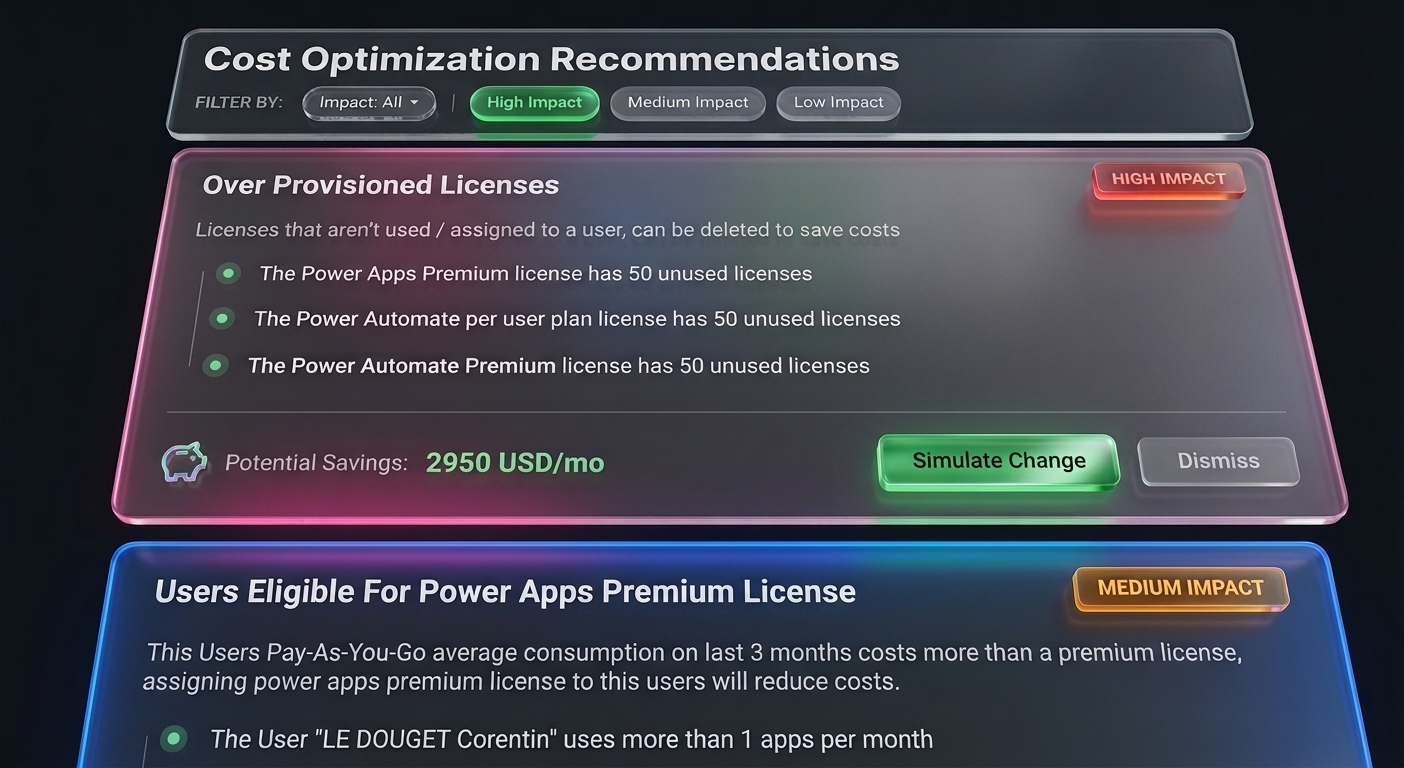
The Recommendations Engine analyzes your tenant data and generates a prioritized list of cost reduction actions — specific to your environment, not generic best practices.
What to change
Specific actions — license reassignments, flow reclassifications — not vague guidance.
Why it reduces cost
The underlying mechanic is explained, not a black box. You understand the logic before acting on it.
A projected saving
Simulated against your actual tenant data — not industry averages, not vendor estimates.
What this replaces
Manual audits. External consultants producing generic recommendations. Spreadsheets built from exported CSVs that are outdated the moment you finish them.
You decide which recommendations to act on. We make sure the decision is based on your numbers.
Architecture
Deployed in your tenant.
Your data stays there.
Power FinOps connects to your Microsoft environment via Microsoft Graph API. All data access is read-only — the app pulls license assignment data, Dataverse storage metrics, and PAYG data to calculate costs. It never modifies your environment.
Deployed as a Power Platform solution package. No external hosting, no SaaS dependency, no data leaving your tenant.
Your Microsoft Tenant
PowerFinOps
No data exits the boundary. The app runs inside your tenant.
Two requirements.
Nothing else.
Power Apps Premium license
Required for using Dataverse and HTTP requests. One license for the deployment user.
Power Platform Administrator role
Required for the user performing the deployment. Standard Azure AD role — no custom permissions needed.
Find out what your Power Platform
costs. In one session.
Book a 30-minute demo. We show you Power FinOps running on a real tenant — real cost data, real breakdowns, real simulation. No slides. No mock-ups.
Free. 30 minutes. No preparation required on your side.
Or claim a free audit — no commitment